Mailchimp Free Plan Limits (2026): Contacts, Sends and What You Lose
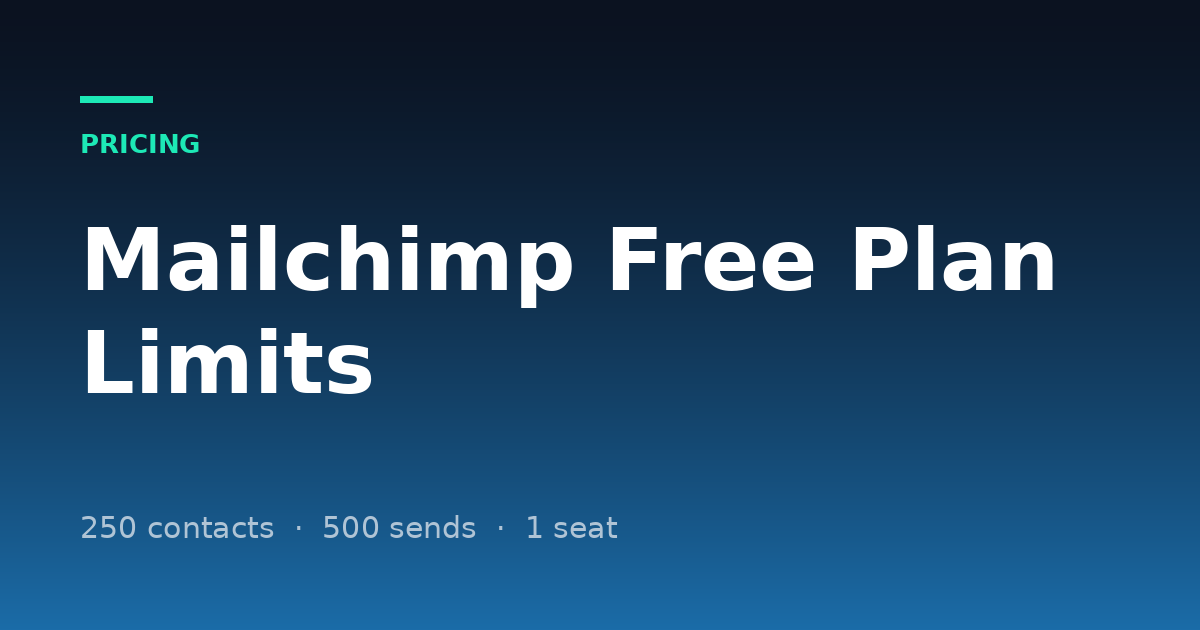
Mailchimp free plan limits, in short: the Free plan allows up to 250 contacts and 500 email sends a month, with a daily cap of 250 sends, one user seat and one audience. It carries Mailchimp branding, has no email scheduling, A/B testing or full automation flows, and email support lasts only the first 30 days.
More on this topic: CRM comparisons and alternatives, every guide in one place.
Those figures come from Mailchimp's own pricing page and help centre, checked on 26 October 2026. They are lower than many older reviews suggest, and Mailchimp's pages do not say when the limits changed — so if you are planning around a bigger number you read elsewhere, check it against the table below. This guide covers which limit bites first, what happens when you go over, and what the first paid plan really costs.
Key takeaways
- 250 contacts is the wall: unsubscribed and non-subscribed contacts count toward it, not just subscribers.
- 500 sends a month, 250 a day: one newsletter to a full list is 250 sends, so you get two a month.
- Going over pauses sending: live and test emails are held until you upgrade or reduce your contact total.
- One seat, one audience: no second user and no separate list for a second brand.
- Essentials starts at $13 a month for 500 contacts ($6.50 for the first 12 months on the current offer); Standard at $20.
- Free still works for a hobby list or a new business sending an occasional update to a few hundred people.
What are the Mailchimp free plan limits in 2026?
The Mailchimp Free plan is limited to 250 contacts, 500 sends a month with no more than 250 a day, one seat and one audience. Here is every limit Mailchimp publishes for Free, with Essentials beside it so you can see what the first upgrade changes.
| Limit | Free | Essentials |
|---|---|---|
| Price | $0 | From $13/mo (500 contacts) |
| Contacts | Up to 250 | 500 at the base price, up to 50,000 |
| Monthly email sends | 500 | 10 × your contact limit |
| Daily sends | 250 | No daily cap listed |
| Users | 1 seat (Owner) | 3 seats |
| Audiences | 1 | 3 |
| Email templates | Limited selection | All templates |
| Mailchimp branding | Cannot be removed | Removed |
| Email scheduling | Not included | Included |
| A/B testing | Not included | Included |
| Automation flows | Free preview only | Up to 4 flow steps |
| Custom-coded templates | Create, upgrade to send | Create, upgrade to send |
| Segmentation | Basic | Basic |
| Landing pages, forms, pop-ups | Included | Included |
| Support | Email, first 30 days | 24/7 email and chat |
Limits and prices checked on Mailchimp's own pages on 26 October 2026: pricing, plan comparison and the help article About Mailchimp Pricing Plans. Prices are in US dollars before tax. Mailchimp changes these often; confirm before you plan around one.
How many contacts can you have on Mailchimp free?
You can have up to 250 contacts on Mailchimp's Free plan, and the count is wider than most people expect. Mailchimp counts subscribed, unsubscribed and non-subscribed contacts toward your total. Archived, cleaned and deleted contacts do not count.
That matters because unsubscribes do not free up space on their own. A list that grew to 250 and lost 30 people to unsubscribes is still at 250 until you archive those 30. Non-subscribed contacts — people added from a purchase or an integration who never opted in to marketing — count too, so connecting a store can fill the plan without a single sign-up.
How many emails can you send on Mailchimp free?
You can send 500 emails a month on Mailchimp Free, and no more than 250 in one day. Each email to each contact is one send, so one campaign to 250 contacts uses 250 sends — half your month, and your whole day.
| What you send | Sends used | Fits in Free? |
|---|---|---|
| 1 newsletter to 250 contacts | 250 | Yes, once a day at most |
| 2 newsletters a month to 250 contacts | 500 | Yes, uses the full month |
| Weekly newsletter to 250 contacts | About 1,000 | No |
| Weekly newsletter to 120 contacts | About 480 | Just |
| Test emails while designing | 1 each | Counts toward the 500 |
Test emails count toward the monthly limit, which surprises people who send themselves ten previews while getting a template right. On Free there is also no scheduling, so each campaign goes out when you press send.
What happens when you go over the Mailchimp free limit?
If you exceed 250 contacts on the Free plan, Mailchimp places a hold on sending live and test emails until you upgrade to a paid plan or reduce your contact total. You can still edit emails and templates, collect sign-ups and import contacts — you just cannot send.
Paid plans work differently. On Essentials, Standard and Premium, Mailchimp does not interrupt service when you pass your contact limit; it adds an overage charge to your bill instead, and removes it if you move up a tier. Free has no overage option, so the hold is the only outcome.
The hold applies the moment your total passes 250, including contacts you added by import or integration. Before a big import or a launch, archive unsubscribed and stale contacts first, or plan the upgrade — finding out on send day means a campaign that does not go.
Want to see what your own numbers look like? Start a workspace and price it against the table above.
Start free14-day free trial · No credit card required
Which Mailchimp free limit do you hit first?
Most small businesses hit the 250-contact cap first, then the monthly send limit, then the missing features. The order depends on how often you send.
1. The 250-contact cap
A shop signup form, an event list or a year of website opt-ins gets there quickly, and unsubscribed contacts keep counting until you archive them. If your list is growing at all, this is the limit that ends Free.
2. The 500-send month
If you send weekly, sends run out before contacts do: four emails to 125 people already uses 500. Monthly senders rarely notice this limit; weekly senders hit it with a small list.
3. One seat and one audience
A second person who needs to edit a campaign needs a paid plan, and so does a second brand that needs its own list. Sharing a login is the common workaround and loses any record of who changed what.
4. Scheduling, testing and automation
Free has no email scheduling, no A/B testing and only a preview of automation flows. A welcome email or an abandoned-cart reminder is where many stores decide to upgrade, and multi-step flows start on Essentials with up to four steps.
5. Branding and support
Every Free email carries Mailchimp branding, and email support ends 30 days after you start. For a business presenting to clients, the footer badge is often the reason to pay.
What does Mailchimp's first paid plan cost?
Mailchimp Essentials starts at $13 a month for 500 contacts, and Standard at $20 a month. Both show 50% off for the first 12 months on the current offer, so the page displays $6.50 and $10 first; budget for the full price after a year. Prices rise with your contact tier.
| Plan | Starting price | Includes | Monthly sends |
|---|---|---|---|
| Free | $0 | 250 contacts, 1 seat, 1 audience | 500 (250/day) |
| Essentials | $13/mo ($6.50 for 12 months) | 500 contacts, 3 seats, 3 audiences | 10 × contacts |
| Standard | $20/mo ($10 for 12 months) | 500 contacts, 5 seats, 5 audiences, up to 200 flows | 12 × contacts |
| Premium | $350/mo ($175 for 12 months) | 10,000 contacts, unlimited seats and audiences | 15 × contacts |
| Pay As You Go | Email credits as needed | Essentials features | Per credit |
Starting prices for the lowest contact tier, checked on Mailchimp's pricing page on 26 October 2026. Mailchimp also offers a 15% discount to eligible nonprofits and charities.
Essentials is the cheapest way to remove the 250-contact cap, the branding and the single seat. If automation is what you need, compare it with Standard: Essentials flows stop at four steps, while Standard includes up to 200 flows, custom-coded templates you can send and advanced segmentation.
How can you stay on Mailchimp free longer?
You can stretch the Free plan by archiving contacts you no longer email, sending less often to the people who engage, and keeping test sends to a minimum. These habits buy months, not years.
- Archive unsubscribed and cleaned contacts regularly; archived contacts do not count toward 250.
- Check integrations before connecting them, since non-subscribed contacts from a store or form tool count too.
- Send monthly, not weekly, if your list is near 250.
- Preview in the browser instead of sending test emails, which count toward the 500.
- Keep one audience and use tags rather than duplicating contacts across lists.
What should you do when you outgrow Mailchimp free?
When you outgrow Free, price the plan you would need in twelve months at the full price, not the first-year discount, then compare it with one or two tools that bill differently. Mailchimp bills by contact tier, so the cost rises with your list even if you send less.
- Just need a bigger free tier? Our Mailchimp alternatives list compares free plans and starting prices.
- Need automation more than list size? See ActiveCampaign vs Mailchimp.
- Need a CRM as well as newsletters? HubSpot's free CRM covers 1,000 contacts and two users, with a pipeline built in; see HubSpot free CRM limits.
- Following up leads by hand alongside the newsletter? Flat-priced platforms such as Scalry ($29, $79 or $199 a month per workspace, with a 14-day trial and no card) put the pipeline, email and funnels on one record at a price that does not change with your contact count. Mailchimp is still the cheaper way to send a simple newsletter; see Scalry vs Mailchimp.
Frequently asked questions
Is Mailchimp still free?
Yes. Mailchimp still has a Free plan with up to 250 contacts, 500 email sends a month (250 a day), one seat and one audience. Features such as scheduling, A/B testing and removing branding need a paid plan.
How many contacts can I have on Mailchimp free?
Up to 250. Subscribed, unsubscribed and non-subscribed contacts all count; archived, cleaned and deleted contacts do not.
How many emails can I send on Mailchimp free?
500 sends a month, with a maximum of 250 a day. Each email to each contact is one send, and test emails count toward the monthly limit.
What happens if I go over 250 contacts on Mailchimp free?
Mailchimp holds sending of live and test emails until you upgrade or reduce your contact total. You can still edit emails, collect sign-ups and import contacts.
Does Mailchimp free include automations?
Only a preview. Automation flows with up to four steps start on Essentials, and Standard includes up to 200 flows with branching and multiple starting points.
How much is Mailchimp after the free plan?
Essentials starts at $13 a month and Standard at $20 a month for 500 contacts, with 50% off for the first 12 months on the current offer. Prices rise with your contact tier.
Can I remove Mailchimp branding on the free plan?
No. Removing Mailchimp branding starts on Essentials.
How Scalry keeps email, contacts and deals on one record is on the CRM and pipeline page.
If you are about to pass 250 contacts, price the plan you will need next year at full price before the hold arrives. You can rebuild one real campaign inside Scalry before moving anything else.
Start your free trialSee pricing14-day free trial · No credit card required
Build a workspace, import a real list, and run one campaign end to end before you decide anything.
14-day free trial · No credit card required